vs typical ~$1,090/year inspection software.
This is the report your buyer gets when the inspection is done.
An original demonstration rendered by InspectorKit: 16 custom sections, two HVAC systems, equipment records, detailed observations, and a priority summary. The property is fictional. Explore the detailed findings and section photo records.
Your name on the cover, not ours.
Branding is stamped automatically
Logo, license, phone, and cover color come from Settings — set once, on every report after.
The job facts lead
Client, address, date, and agent are organized before anyone reads a finding.
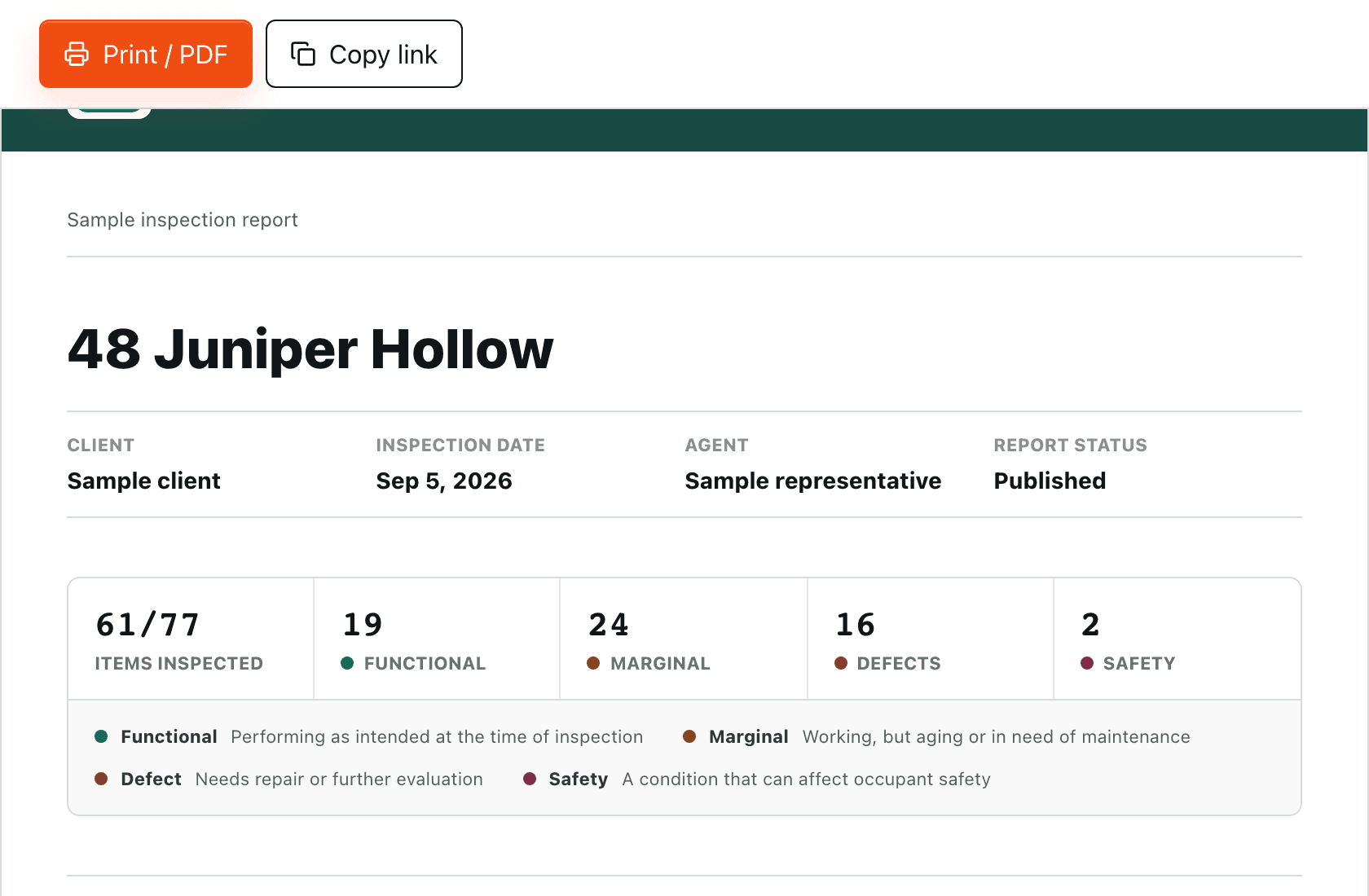
The summary builds itself while you walk.
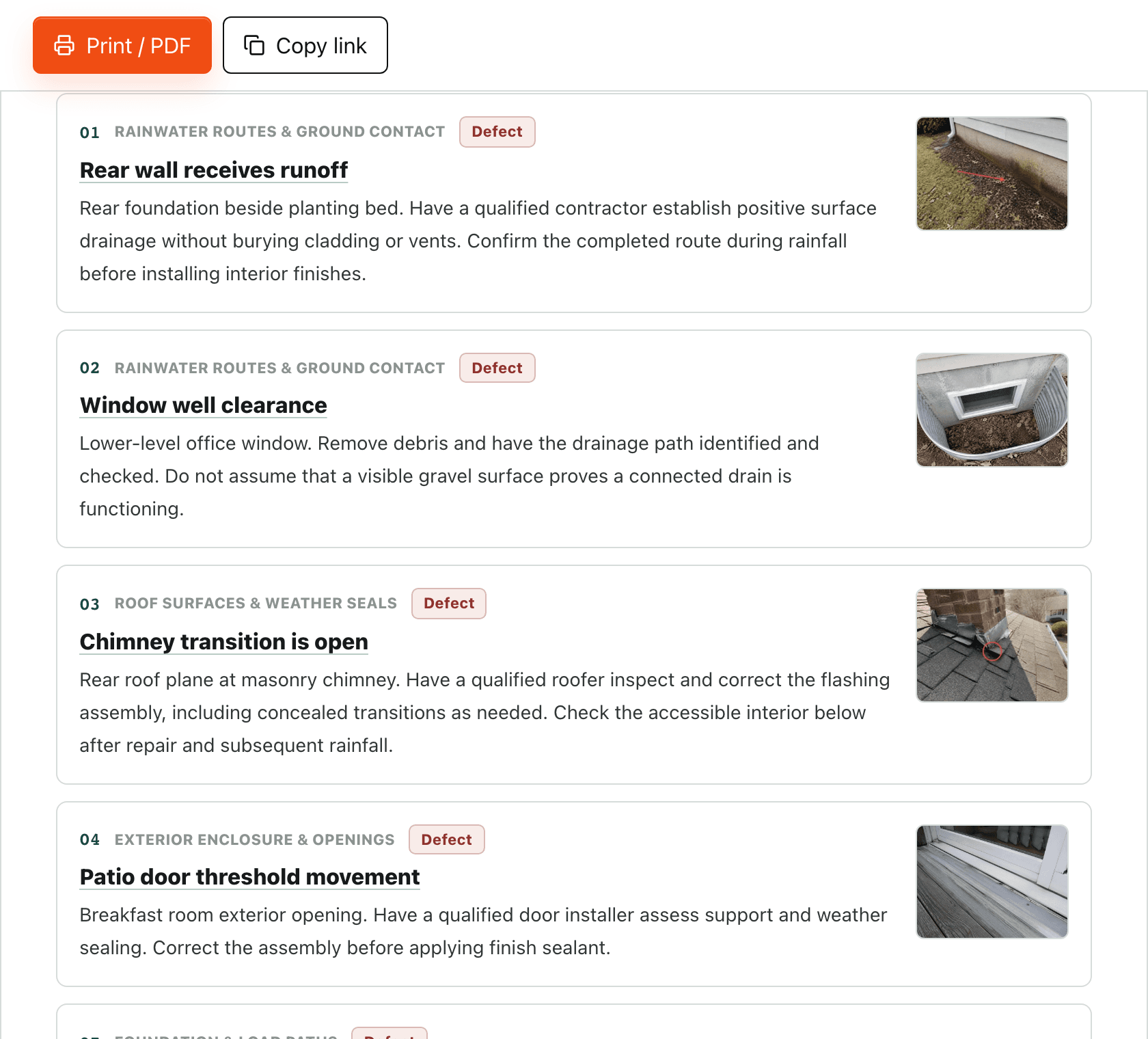
Defects and safety items pulled forward
Agents and buyers don't hunt through 40 pages. What deserves attention reads first.
Photos stay with the observation
Each image and caption stay attached to the corresponding item in the summary and detailed report.
vs typical ~$1,090/year inspection software.
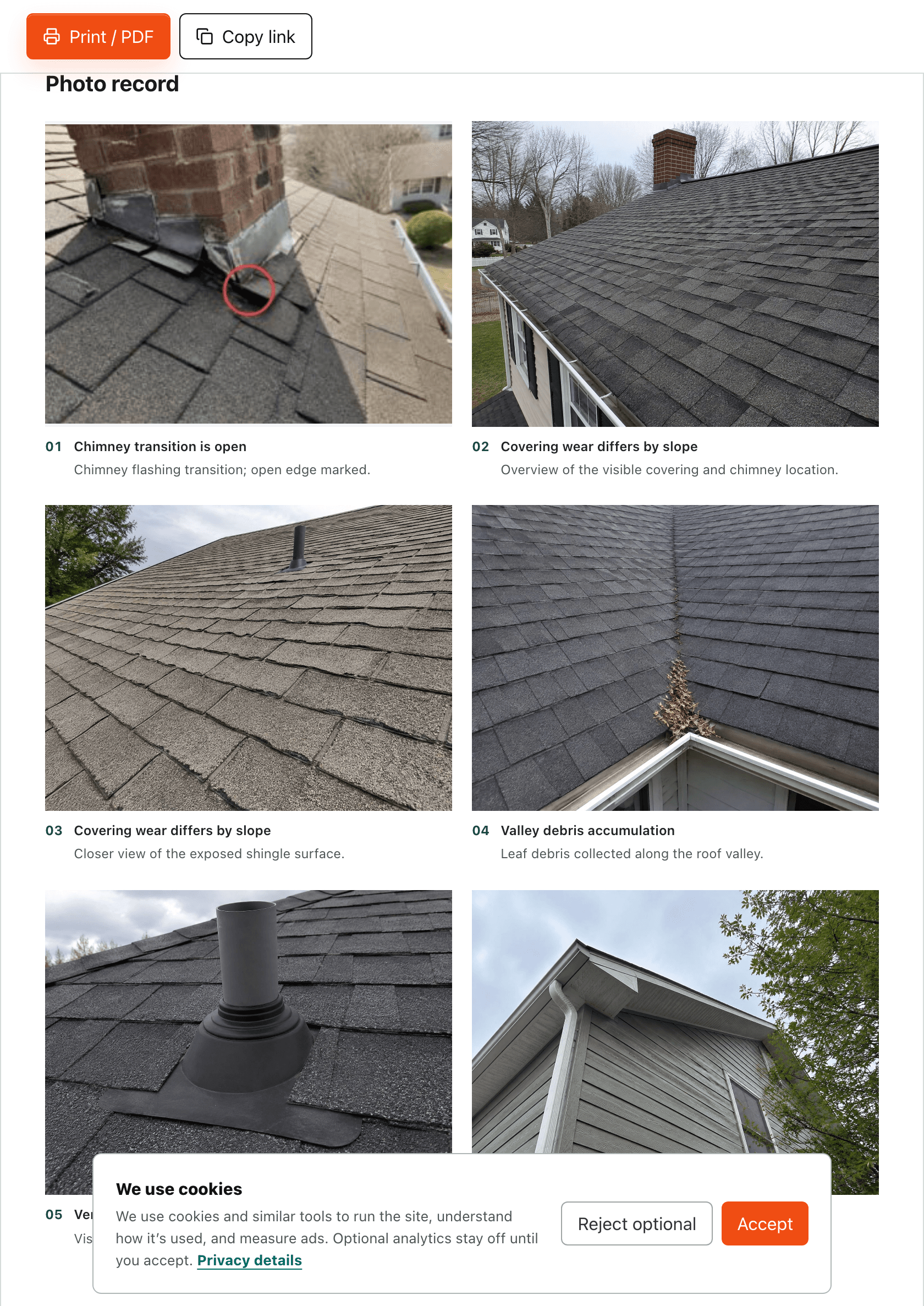
Photo pages built around your inspection.
Choose the layout
Use four, six, or nine photos per page. Change the order, edit captions, and choose which attachments appear in each section’s photo record.
Keep the context
Each photo stays attached to its inspection item. Caption links connect the photo record to the detailed finding, in the web report and PDF.
The workflow behind the report.
Set up your reusable structure, record each observation, and review the finished document. The same report renderer handles the original example above and your inspection data.
Tap the condition
Functional, marginal, defect, or safety — one tap per item.
Drop in a saved comment
Your library, one tap away. 65 field-tested narratives included on day one.
Or dictate it hands-free
Talk the note in from the ladder. It lands in the narrative field.
Snap and mark the photo
Circle the problem on the photo. It stays attached to that exact finding.
Send from the driveway
The summary builds itself. One tap sends the branded PDF and web link.
And it stays yours to shape
Your template, your structure
Add, rename, and reorder sections and items. New reports start from your layout, not ours.
Your comment library
Edit, organize, and bulk-import the language you've refined over years. It stays exportable.
Keeps moving through dead zones
Pre-open the inspection while connected, keep working when signal drops, then sync and publish when you're back online.
vs typical ~$1,090/year inspection software.
First 100 buyers: $299 one payment. After the first 100: $499 one payment. No subscription. Your purchase includes a 60-day money-back guarantee.
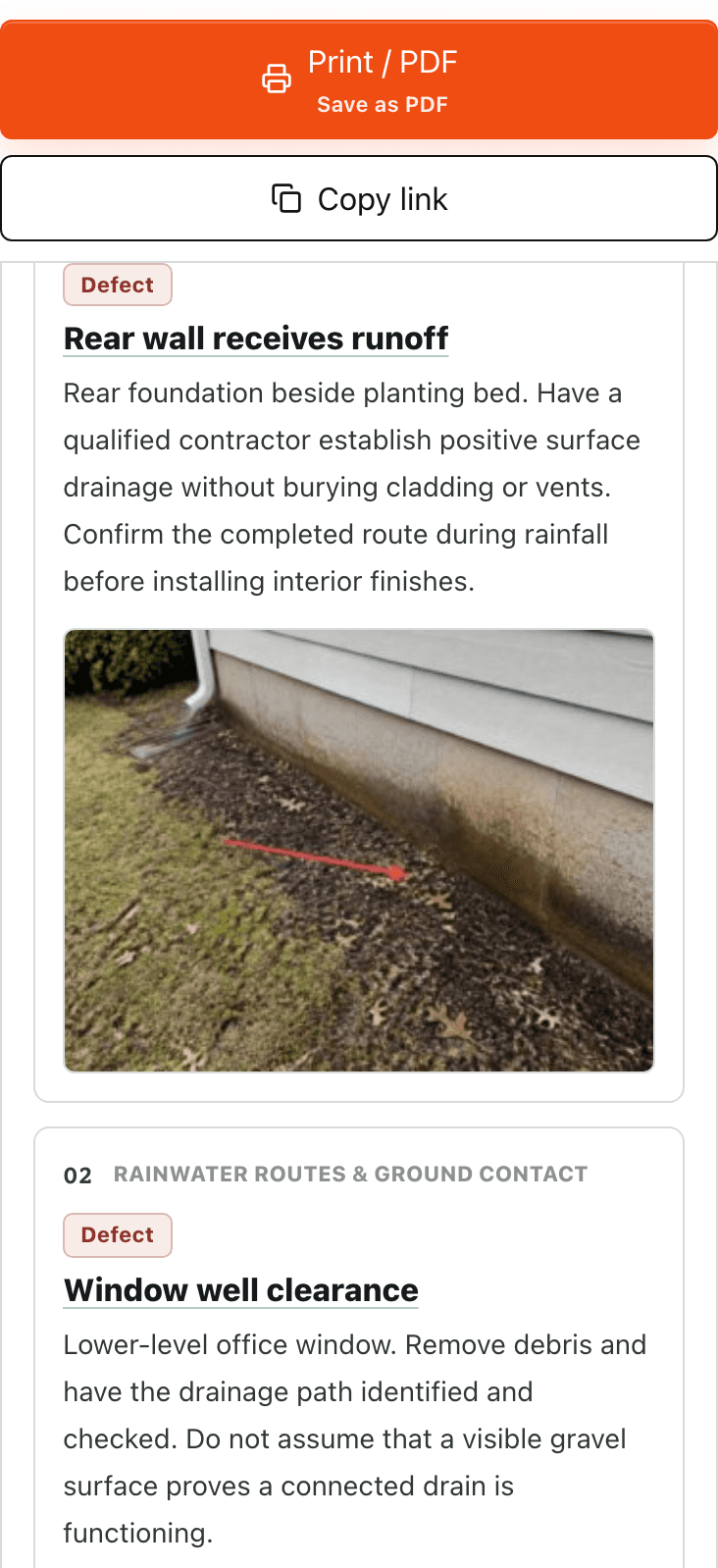
The web report reads cleanly on a phone, too.
When the agent opens your link in the car, the summary stays readable, the photos stay visible, and the findings do not turn into a spreadsheet. That link is how they remember who to call for the next deal.
The agent’s view
Walk the whole report before you buy.
This page is the finished sample report, cover to summary. Read it first. If anything is unclear, email Owen at support@inspectorkit.io and you will get the founder, not a queue. Your purchase includes a 60-day money-back guarantee. Your reports, templates, and comment library export any day you want.
Reports stay exportable
Web, PDF, and your data — yours to keep, always.
No ads in your reports
Your deliverable is never someone else's ad space.
60-day real-inspection guarantee
Use it on a paying job. One email refunds it.
Not deciding today? Take the report with you.
I’ll email you this sample report so you can read it properly, forward it to a colleague, or compare it against what your current software sends.
vs typical ~$1,090/year inspection software.
Email me the sample
Not ready yet? That's fine. See the full sample report first.
Drop your email and I will send the complete sample report plus a straight breakdown of what you would actually save by switching. No pitch sequence, no drip campaign. Just the proof, so you can make the call on your own time.