Solo inspection business
Working offline, crawlspaces, basements, and dead-zone houses
Why offline capability is the least optional feature in inspection software, how sync should actually behave, and what to test before you trust a tool.
By Owen Murray, founder of InspectorKit · Updated July 6, 2026
Every inspector has a version of the same story. Two hours of findings, a basement with one bar of signal, a spinning sync icon, and the slow realization that some of the afternoon may not exist anymore. The story varies only in what got lost. The lesson never varies, connectivity is not a feature of the houses you inspect, and software that assumes otherwise is software that fails at work.
Offline capability sounds like a checkbox. It is actually the difference between a field tool and an office tool that travels badly, and knowing how to evaluate it is worth twenty minutes of any inspector's attention.
Where inspections actually happen
List the environments of a normal week. Crawlspaces under slab-adjacent ranches, poured basements wrapped in concrete and rebar, attics behind two feet of insulation, rural properties past the last cell tower, new construction where the neighborhood's tower is not built yet, and steel-framed houses that eat signal for lunch.
The pattern is not that inspections sometimes lose signal. It is that the highest-value moments of an inspection, the moisture reading at the far foundation wall, the wiring photo in the attic's worst corner, happen disproportionately in the dead zones. A tool that needs connectivity needs it exactly when it will not have it.
What offline-first actually means
The phrase gets used loosely, so here is the strict version worth demanding. Every action works without signal, full stop. Open the inspection, tap conditions, write narratives, insert from the comment library, shoot and annotate photos, mark sections functional, all of it lands locally and instantly, with the network treated as something that comes and goes rather than something that gates your work.
Then, when signal returns, everything you did syncs on its own, in the background, without a button and without your attention. The queue drains, a quiet indicator confirms it, and nothing was ever waiting on you to remember.
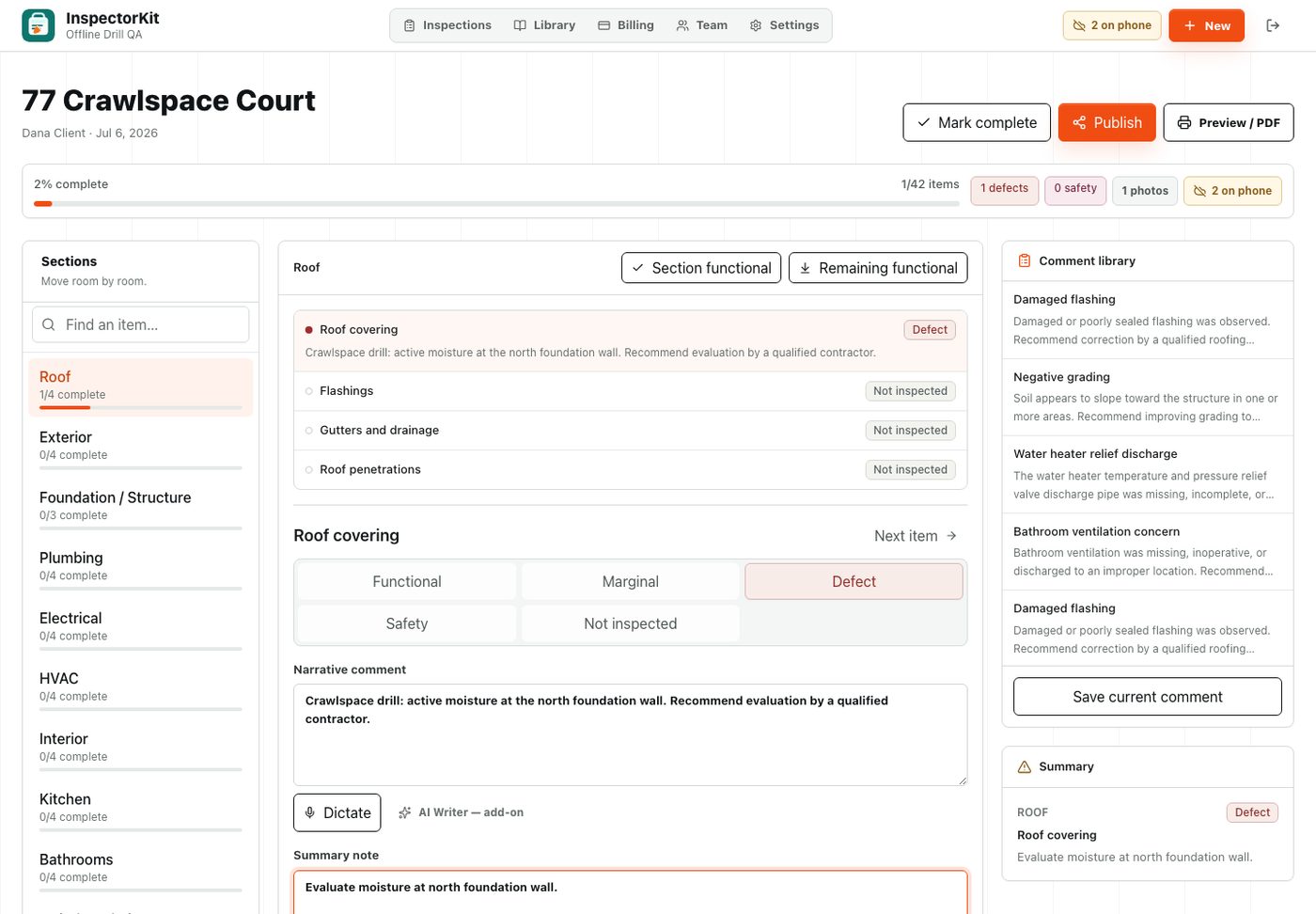
That is how InspectorKit behaves, and the offline field guide documents the details, edits queue on the device, a badge counts what is waiting, and reconnection drains the queue automatically. The specifics matter less than the principle, the inspector should never be the sync engineer.
The failure modes that cost real work
Weak offline implementations fail in predictable ways, and naming them makes them testable.
The optimistic spinner, where the app accepts your edits into memory and loses them when the app restarts before signal returns. The gated save, where edits work offline but photos silently do not, discovered at the truck when half the evidence is missing. The manual sync button, which works perfectly except on the day you forget it, and the design guarantees you eventually will. And the blocking reload, where reopening the app mid-inspection demands a connection to show you the inspection you were just standing in.
Every one of these is survivable in a demo and expensive in a crawlspace. Which is why the evaluation cannot be a feature-list read, it has to be a drill.
The airplane-mode drill, ten minutes
Before trusting any tool with real work, run this on the actual device you inspect with. Open an inspection, then enable airplane mode. Add a finding with a condition, a narrative, and a photo. Annotate the photo. Force-close the app completely, reopen it still offline, and verify everything is there. Keep working for ten more minutes, then restore signal and watch what happens without touching anything. The queue should drain itself and the indicator should say so.
Pass, and the tool is field-grade. Any stumble, and you have learned in your driveway what would otherwise have been taught in a basement with a client upstairs. The same drill belongs in any app evaluation before the purchase decision, because vendors describe their sync in aspirational terms and airplane mode speaks only fact.
The two-device reality
One wrinkle worth planning for, most inspectors run two devices, the phone in the field and a laptop or tablet for the occasional desk review. An offline-first tool handles this gracefully because each device keeps its own local copy and syncs through the same queue, but the habit that keeps it clean is finishing the field session before opening the desk session. Edits made offline on the phone need signal to reach the laptop, so the laptop's view is only as current as the phone's last sync. The sync indicator exists to answer exactly this question, and glancing at it before desk edits prevents the one genuinely confusing state two devices can produce.
Offline as the foundation of field speed
There is a second-order reason this matters beyond not losing work. The entire finish-on-site workflow, entering findings at the finding, batching clean items, closing in the driveway, only functions if entry is instant everywhere in the house. A builder that hesitates on weak signal pushes you back toward paper notes and evening assembly, not because you chose to regress but because the hesitation made the old way faster again.
Instant local writes are what make the modern workflow possible in the buildings where inspection actually happens. Offline is not a resilience feature bolted onto a field tool. It is the property that makes it a field tool, and it is the first thing to verify and the last thing to compromise on when the reliability of your setup is what your schedule runs on.
Common questions
How do I know if my current app really works offline?
Test it, not the marketing page. Put the phone in airplane mode, open an inspection, add a finding with a photo, close the app entirely, reopen it, and check the finding survived. Then restore signal and confirm it syncs without you doing anything. Any step that fails is a step that will fail in a crawlspace.
What happens if I edit the same inspection on two devices offline?
This is worth asking any vendor directly. Reasonable tools apply changes in order and keep the newest value per field. The realistic solo case, phone in the field and laptop at home, rarely collides, but the answer tells you a lot about how seriously the vendor takes sync.
Do web-based tools work offline at all?
Some do now. A properly built web app can cache itself and queue changes exactly like a native app, which is how InspectorKit works. The implementation matters more than the category, which is why the airplane-mode test beats any label.