In the field
Working offline in basements and crawlspaces
How InspectorKit keeps your report safe when the signal dies, what the sync pill states mean, and what still needs a connection.
By Owen Murray, founder of InspectorKit · Updated July 6, 2026
Houses eat phone signal. Basements, crawlspaces, garages with foil insulation, rural properties where coverage was already one bar. An inspection tool that needs a connection to save your work is a tool that will eventually lose a report, and losing a report on a paid job is not a bug you forgive.
So InspectorKit works phone-first. Here is what that means in practice.
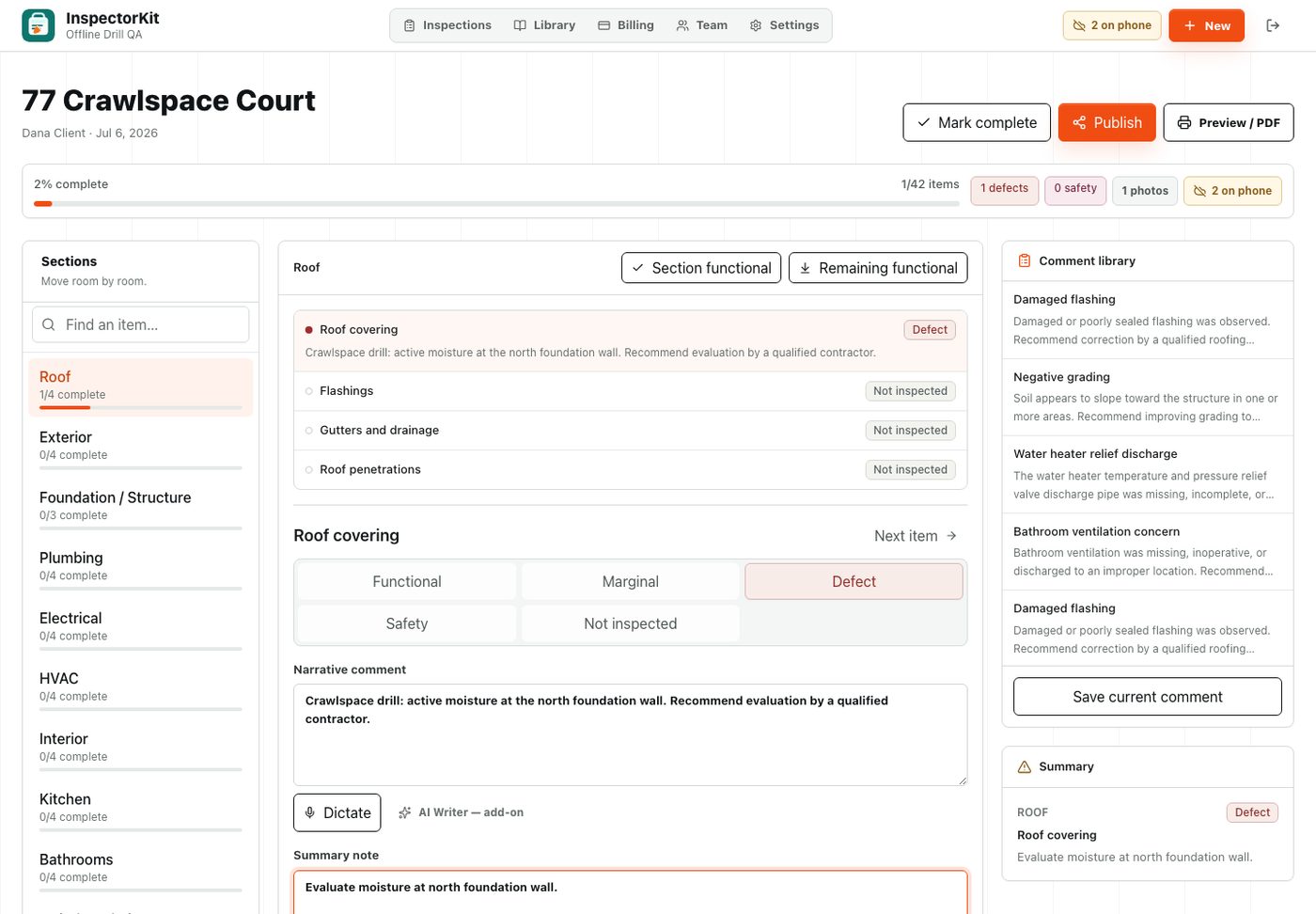
Every edit saves to your phone before anywhere else
Tap a condition, write a narrative, attach a photo, draw on it. Each of those lands in storage on your device the moment you do it. Syncing to your account happens in the background, and when there is no connection, the changes queue up on the phone and wait.
The queue survives everything short of deleting the app. Close the browser, let the phone die, reload the page in a dead zone. Your work is there.
Reading the sync pill
The pill in the header tells you the truth about where your data is.
| Pill | Meaning |
|---|---|
| Synced | Everything is saved to your account |
| Syncing | Changes are on their way up right now |
| 3 on phone | Three changes are safe on the device, waiting for signal |
| Offline, saves to phone | No connection, everything is landing locally |
| Sign in to sync | Your session expired, sign back in and the queue sends itself |
The number matters more than the color. If it says 3 on phone while you are in the crawlspace, those three edits are exactly as safe as the synced ones. They are just traveling later.
The two things that need signal
Starting a new report and publishing a finished one both talk to the server, so both need a connection. In practice this maps onto how the job already flows. You create the report in the driveway when you arrive, work through the house wherever the signal does or does not reach, and publish from the driveway on the way out.
If you try to publish from a dead zone, InspectorKit tells you plainly instead of spinning. Your report stays safe, and the moment you are back in coverage the pending edits sync and Publish works.
One habit worth keeping
Open the app once while you still have signal, before heading into the basement. Pages you have visited keep working offline, and the report you already opened is fully editable no matter what the signal does. Then check the pill on your way out. Watch it count down to Synced, publish, and hand over the report before you leave the property.
Common questions
What happens if I close the app while offline?
Your edits are already saved on the phone. Reopen the app, even with no signal, and your report is exactly where you left it. Pending changes sync on their own once you are back in coverage.
Do I need to do anything to turn offline mode on?
No. There is no mode. Every edit saves to your phone first, always, and syncs in the background whenever a connection exists.
What actually requires signal?
Two things. Starting a new report and publishing one. Both are moments you are usually in the driveway anyway. Everything between them works with zero bars.