In the field
Re-inspections without retyping
Use the Re-inspect button to clone a finished report into a fresh draft with every finding carried over, ready for the verify-repairs walk.
By Owen Murray, founder of InspectorKit · Updated July 6, 2026
Repair verification is a second visit with the first visit's paperwork. The seller fixed some items, ignored others, and you need a report that says which is which without rebuilding forty findings from memory.
That is what Re-inspect does.
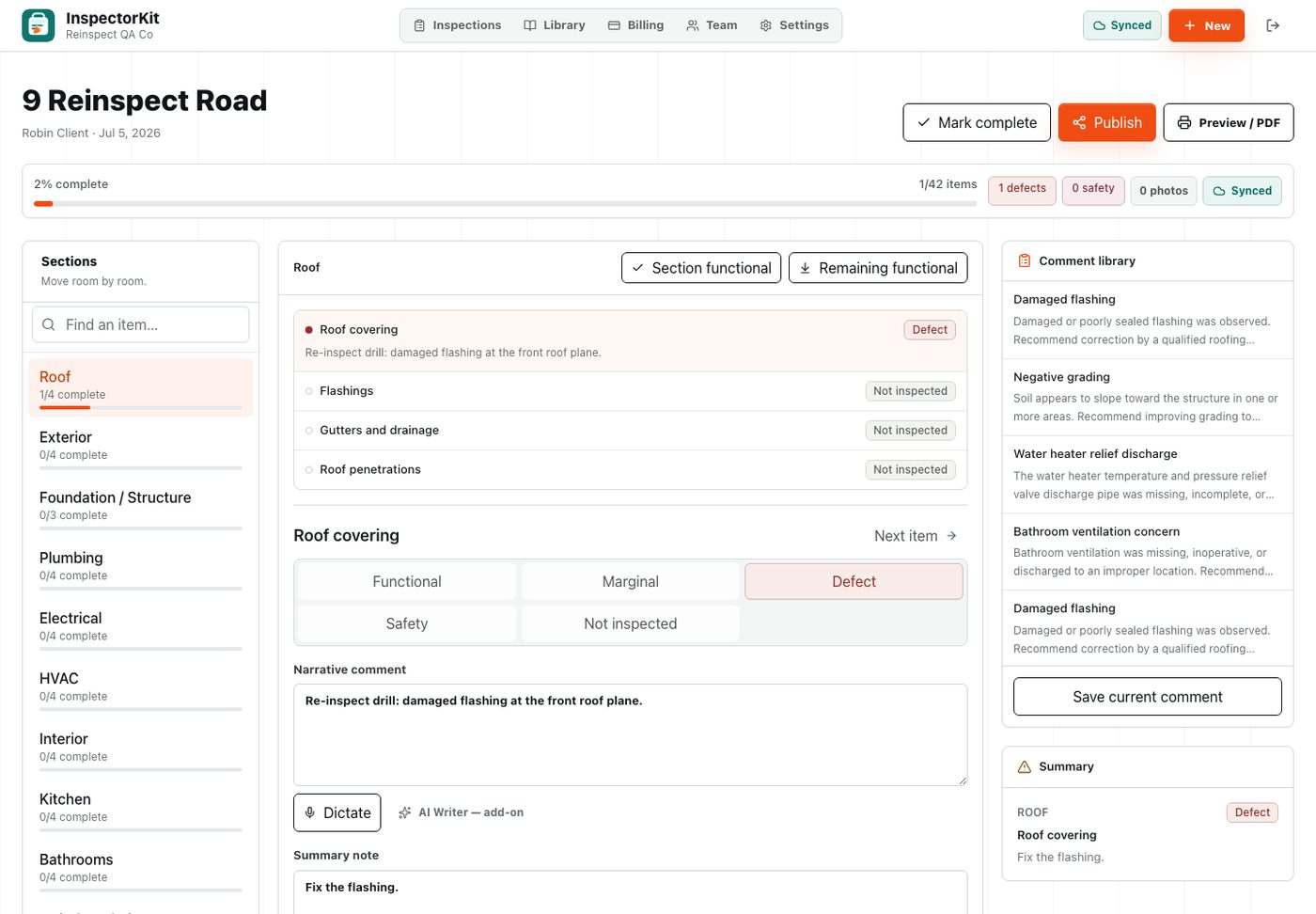
Where the button lives
Open any completed or published inspection and look at the header row next to Publish and Preview. Tap Re-inspect and InspectorKit creates a new draft on the spot, then drops you into it.
The clone carries the property address, client, and agent from the original. The date resets to today. Every section, every item, every condition, and every narrative comes across exactly as you wrote it. Photos stay behind with the original visit, because the pictures you need now are of the repairs.
Working the re-inspection
Walk the repair list. For each finding that was corrected, change the condition and update the narrative to say what you observed. A defect that got fixed usually becomes functional with a sentence noting the repair was completed and appeared serviceable. Items that were not addressed keep their original language, which is exactly the point. You wrote it carefully the first time.
Shoot fresh photos of every repair you are signing off on. The clone starting photo-clean makes it obvious which items still need a current picture.
When the walk is done, publish the re-inspection like any report. It gets its own share link, so the original stays intact as the record of the first visit.
Naming and finding them later
The clone keeps the property address, so both visits sit together on your dashboard sorted by date. The original stays published and untouched, the re-inspection carries today's date, and the two share links stay separate. Clients sometimes forward the wrong one, and separate links mean you can always tell which document they are looking at.
Why this beats starting over
The alternative is a blank report and an hour of retyping, or worse, editing the original and destroying the record of what you found the first time. Both visits deserve their own document. The clone gives you that in one tap, and the first report walkthrough applies to finishing it from there.
One thing to know. Creating the clone needs signal, the same as creating any report, because the new document is minted on the server. In the driveway this is never an issue.
Common questions
Why are photos not copied to the re-inspection?
The old photos document the old visit. On a re-inspection your job is to photograph the current state of each repair, so the clone starts photo-clean on purpose while keeping every written finding for reference.
Does a re-inspection count against my report limit?
Yes, it is a real report for a real visit. Only the practice house is excluded from your count.
Can I re-inspect a report that was never published?
The button appears once a report is marked complete or published. Drafts still in progress just keep getting edited directly.